The drop-down list is the most popular data validation tool in Microsoft Excel. This creates a drop-down list in cell(s) and ensures data entry is consistent, restricted to entries that are approved a...
For meetings recorded with transcript, have you spotted the new Recap tab in Chat and Calendar? A single point of access to the recording, transcript, content and notes shared. You can watch your reco...
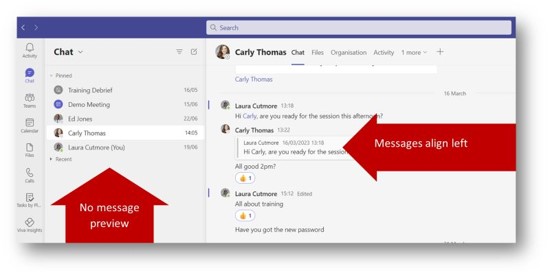
I’m all about comfort but the default “Comfy” view of Chats takes up room on screen that I don’t always have. Try out Compact View to tighten up the spacing between Chats, hide the message pre...
Rolling out: Outlook on the Web and MS Teams
In the hybrid haze, do you ever wonder where your colleague is working today? I’ve lost count of how many times I point to someone’s profile pictur...
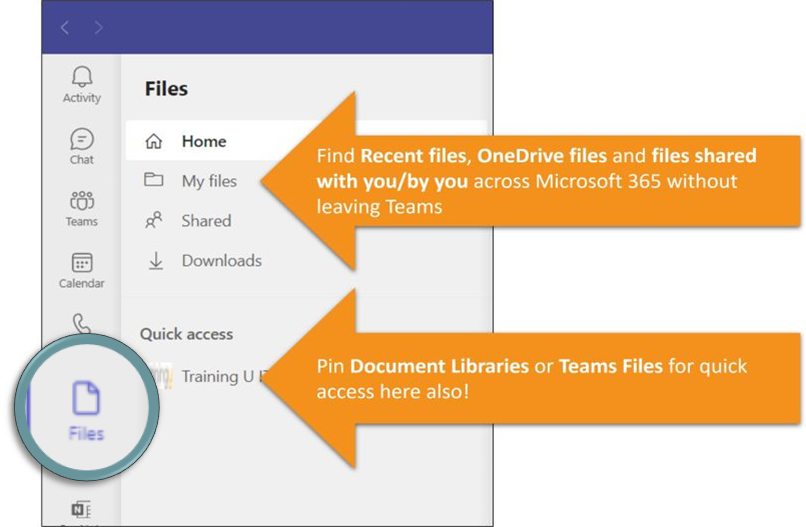
The new Files App in Teams has arrived for us this morning! A BIG improvement to the way we can locate and collaborate on files that are relevant to us without having to leave MS Teams.
Do you want t...
We’re really enjoying the recent updates to Microsoft Whiteboard including:
Saving whiteboards as templates & sharing with colleagues.
Copying & pasting Loop Components into whiteboards to ...
Do you want to quickly re-arrange the order of rows in a Word table? A list of bullet points or paragraphs in Word, Outlook, OneNote or on a PowerPoint slide? Even Shapes in a SmartArt Graphic?
We tho...
Loop Components give you a way to quickly collaborate on a chunk of content with colleagues in a Teams Chat and are also now available in Outlook email. You can choose to insert a list of bullets, a...
The future of notetaking in Team Channels.
Microsoft have announced the phased retirement of Wikis from Team Channels beginning next month and offer note taking capabilities with the more feature-rich...
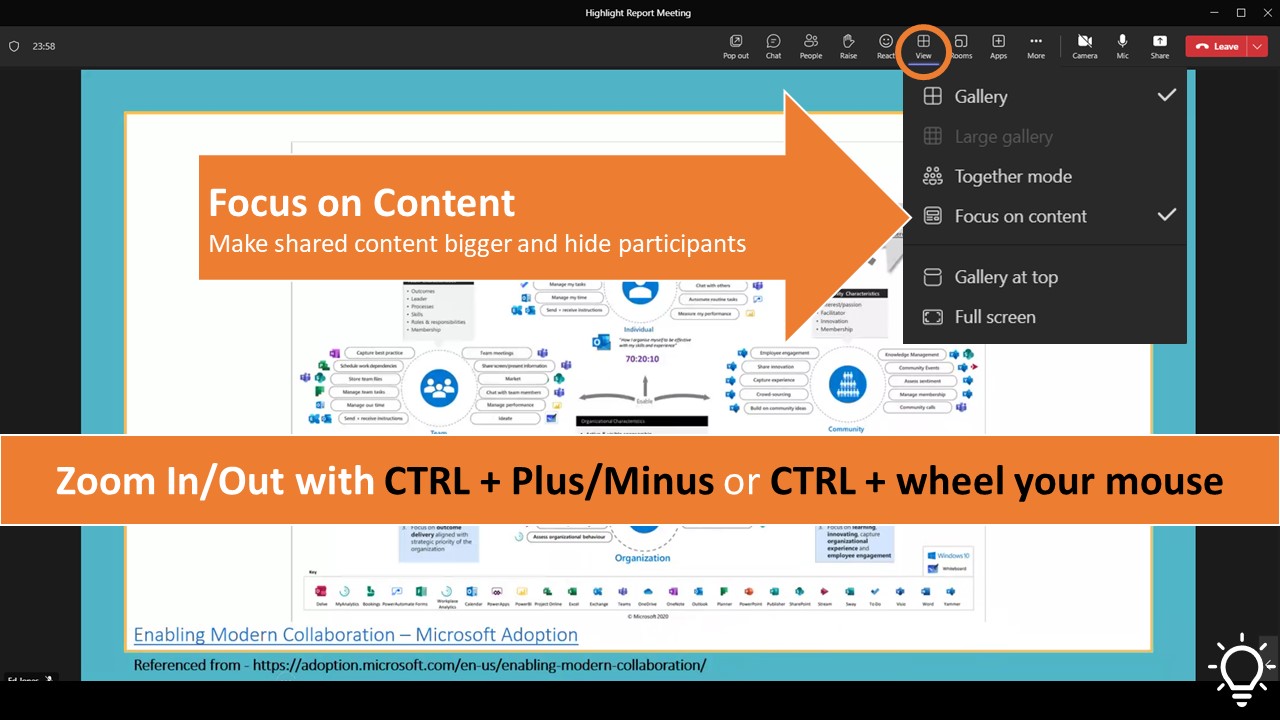
Are you getting the best view in your Teams meetings?
The recently re-organised meeting toolbar now gives us the View button which lets us adjust how we see participants and shared content. Do you wan...