Catching up on 365 updates this sunny morning and sharing some user-friendly tips for those working with Shared Mailboxes in New Outlook.
1) Add folders from your shared mailboxes to Favourites – a gamechanger for some. AVAILABLE NOW!
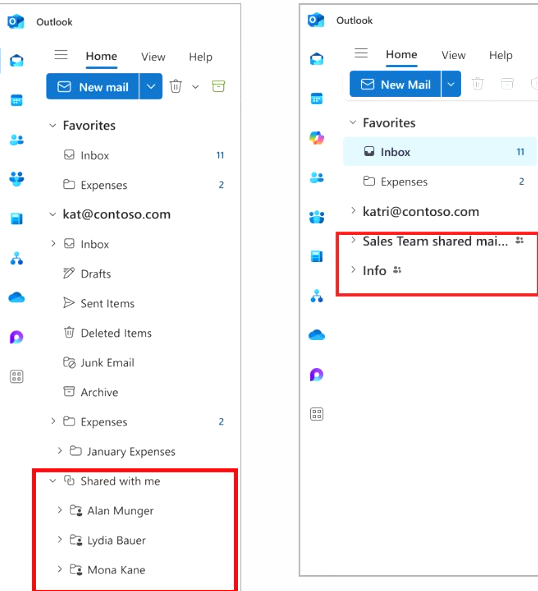
2) See your shared mailboxes more clearly in the folder pane – they will display like accounts, instead of under the “shared with me” heading – much more accessible and shown in the picture below from Microsoft 365 Roadmap ID 486837. Due next month.
3) See shared mailboxes and folders you have access to on a new “Shared with me” settings page. Outlook > Settings > Accounts > Shared with Me. Microsoft 365 Roadmap ID 486836. Due July/August
Take a look at our 1 day Outlook course to learn more Outlook Training For Businesses | Upskill Your Team Today | TrainingU