Trigger Actions allow you to introduce smart interactivity to your PowerPoint slideshows. In this video, we’ll show you how to use trigger actions in order to display multiple choice questions with ...
Some of you may already be using styles to format your heading text. One really useful modification is to automatically number your headings. Follow this video to see how simple that is to do…
We are very proud to announce that we have achieved an Accredited Learning Provider status with the Learning and Performance Institute for the 9th year. When booking training with us, you have assuran...
Using Excel’s ‘fill handle’ it’s simple enough to create a sequence of days. But what if you need to create a different date sequence; months, weeks , years or even weekdays? Watch the video t...
Did you know that when you copy data in Excel containing hidden columns or rows, Excel will copy the hidden data too? But what if you don’t want to copy the hidden data? Watch on…
If you have a recent release of Windows 10 you can now ‘pin’ items to the clipboard so that you can use them indefinitely. We guarantee, this will prove to be an invaluable tool for many of you…...
Here at TrainingU, we’re serious about training people to increase their effectiveness and efficiency, and strive to ensure that the right learner is on the right course at all times so that they re...
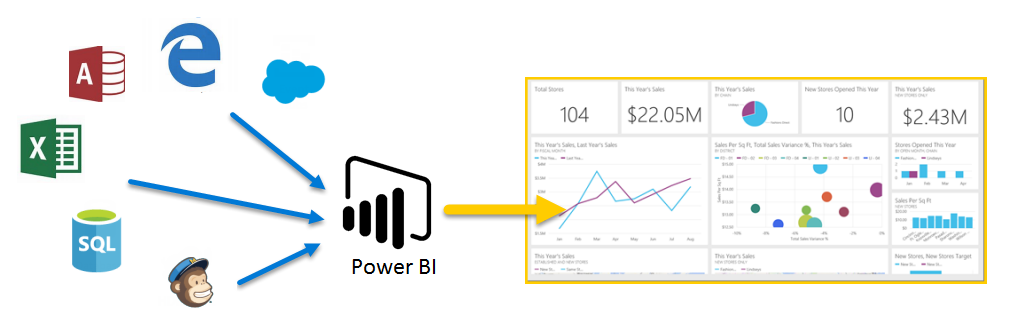
In my previous blog, I talked about the introduction of Excel Power Query and how it eventually became a default feature of Excel 2016 but changed its name to ‘Get Data’. However, Get Data is on...
When applying ‘small caps’ to text, your lower-case letters appear as small capitals. This format is ideal for signage and emphasis, when normal capitals would appear jarring…
PowerPoint provides options to save either entire slides or individual objects within a slide as separate ‘graphic’ files. Once saved from PowerPoint these can then be re-used in other application...
Using the Windows ‘Clipboard Task Pane’, you can copy up to 24 items from all your standard Office applications and then paste them in any sequence you wish into any of those applications…